Cloud Computer For Real Work
The always-on cloud computer you use together with AI.
Giz Computer™ brings desktop, terminal, drive, git, managed apps, mobile control, and site and app publishing into one always-on, isolated, secure computer that is yours.

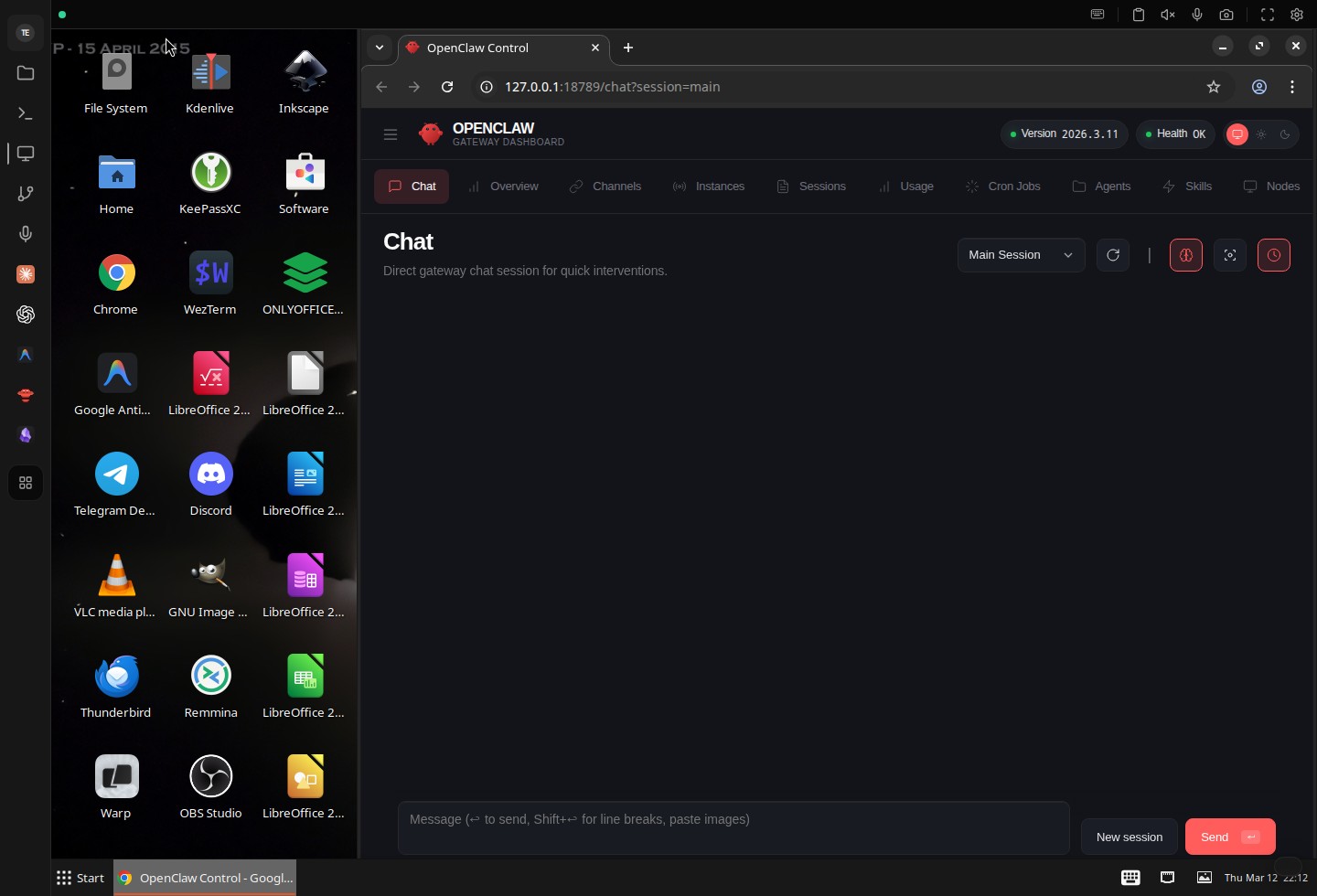
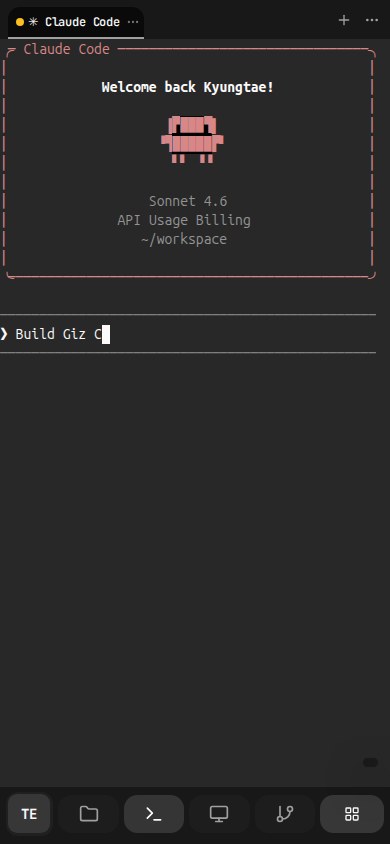
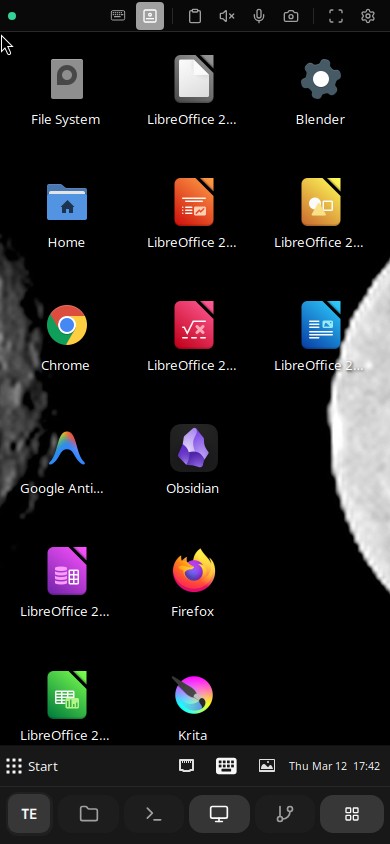
Nomad Work Mode
Operate from your phone, not from an office.
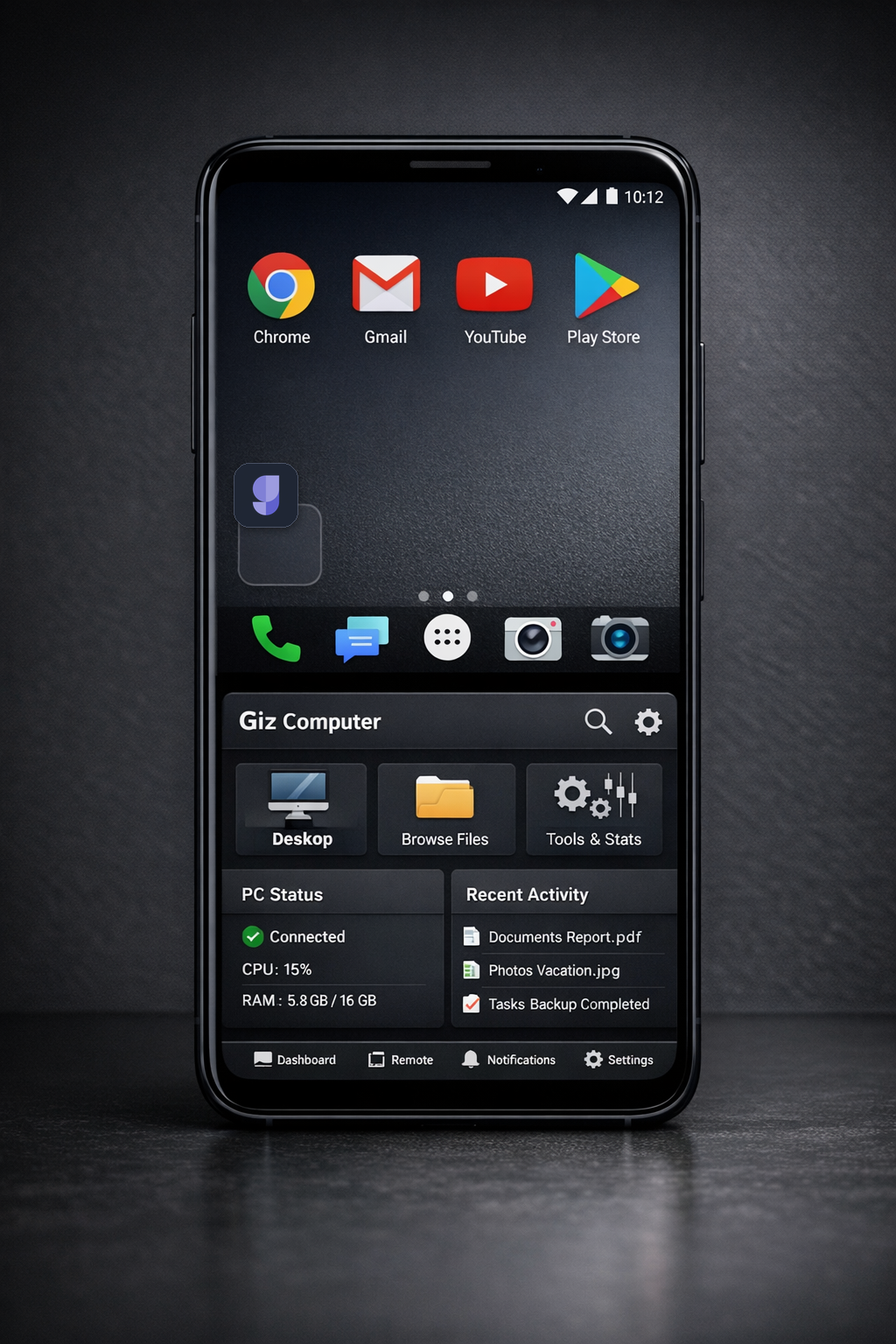
Giz Computer™ makes phone-first work practical. Issue a voice instruction, let Claude Code or Codex keep running on the same always-on machine, and open the live result from the same phone through Sites.
That is enough for product updates, customer support, and system changes while the computer keeps working in the background.
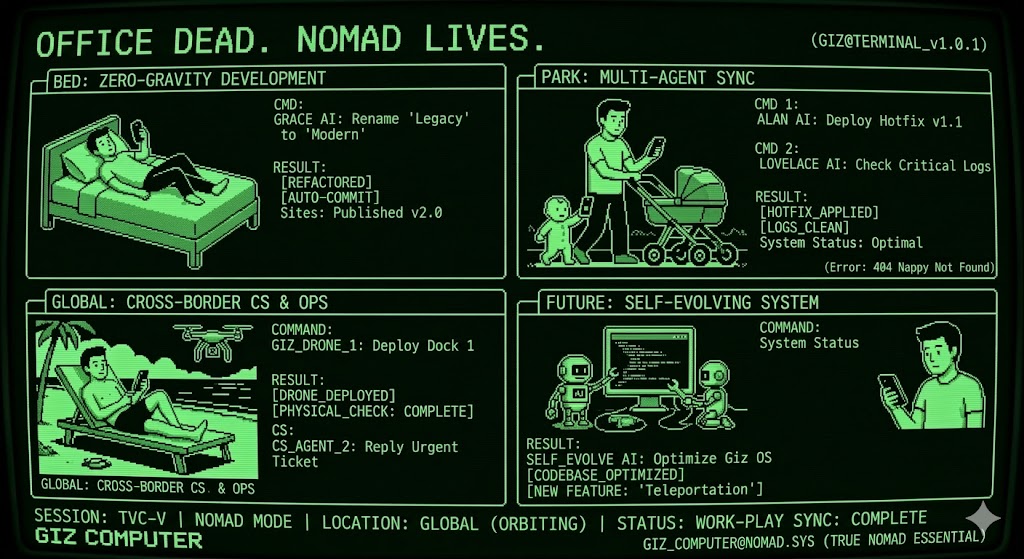
Start from a phone
Use voice or a short prompt to hand work to Claude Code or Codex without opening a laptop.
Keep the same computer running
The task continues on the same always-on machine while you go back to family, travel, or the rest of the day.
Check the live result immediately
Open the updated site from the same phone through Sites as soon as the computer finishes the change.
Features
Real product proof, built around real use.
Computer is not just a remote desktop. It is the operating surface for machine control, Drive memory, app runtime, publishing, automation, and cross-device continuity. The landing should prove that directly.
Terminal
Terminal sessions stay ready to resume.
The terminal is not a disposable shell. Session tabs, URL-linked session state, command history, search, mobile keyboard controls, and direct shell workflows all stay attached to the same computer.
- Persistent session tabs with direct reopen through URL state
- Terminal search, command history, and buffered input controls built into the surface
- Mobile keyboard bar, IME bridge, clipboard, and fullscreen-aware terminal handling
Desktop
Open a real GUI desktop, not just a code sandbox.
Run browser workflows, native windows, and GUI apps inside the same computer your agent and files already use, with the mobile control surface built for real remote work rather than a passive viewer.
- Full remote desktop for GUI tools and browser tasks
- Touchpad mode, clipboard panel, fullscreen controls, and remote resize built into the desktop toolbar
- Remote audio, microphone, camera, and voice targeting are part of the same surface
Split View
Keep terminal and desktop side by side.
Panel splitting is part of the workspace model. Open multiple panels at once, keep them in the same container context, and move between GUI work and shell work without tearing down either side.
- Multiple open panels are encoded directly in the workspace URL
- Add or remove splits without leaving the active computer
- Desktop and terminal stay live together instead of forcing a single-surface mode
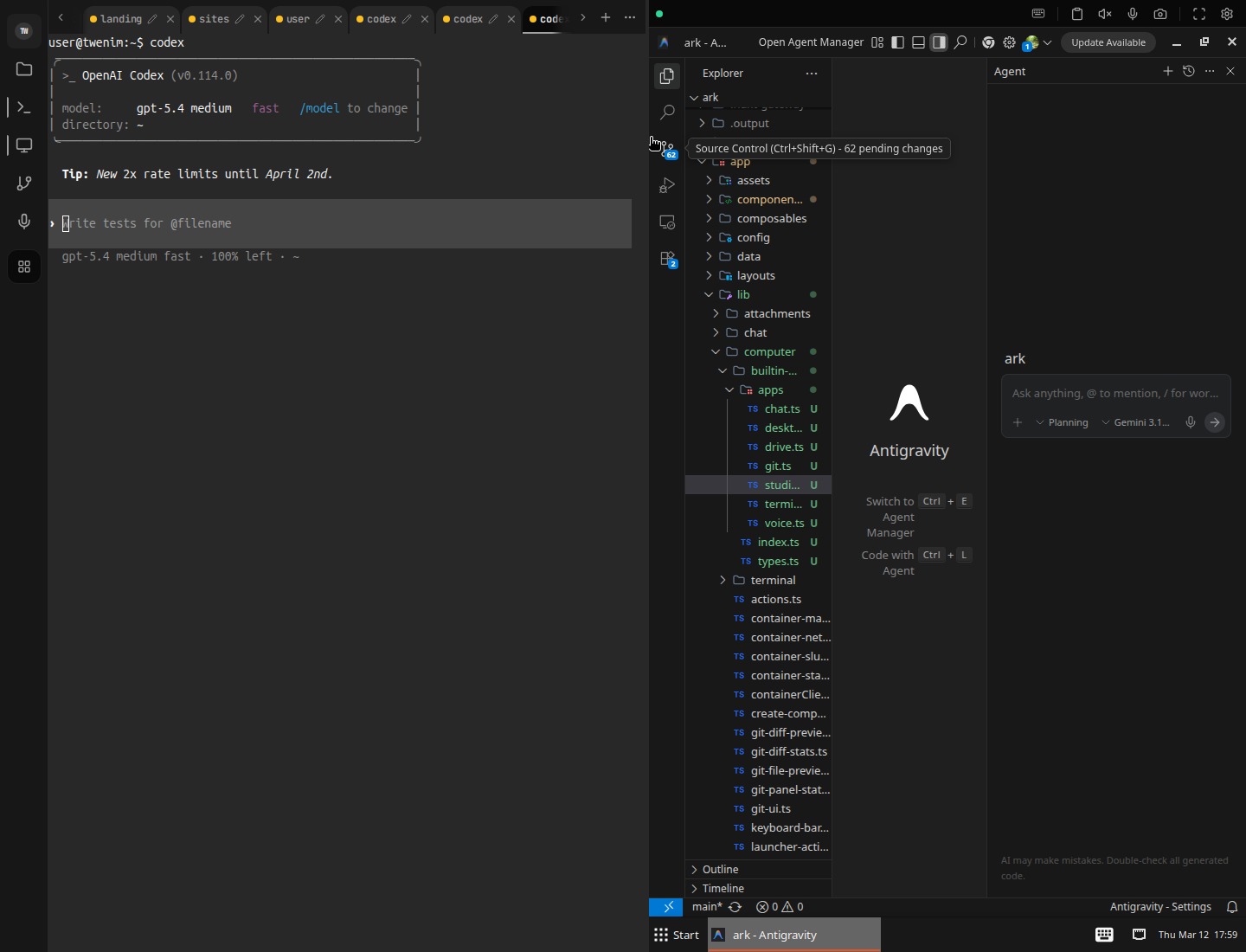
Git
Review changes in the same computer.
Git history, staged changes, and diff review live beside the terminal, files, and desktop apps that created them.
- Diffs, staged changes, and history in the same environment
- No context switch between coding, file edits, and review
- Built for mixed code and asset workflows
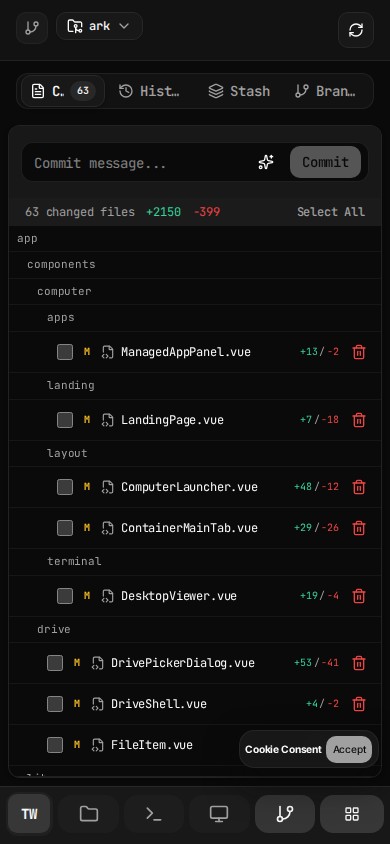
Apps
Installed tools stay one click away.
Built-in panels and installed tools stay one action away from the workspace itself, so desktop, drive, git, terminal, and voice controls can reopen without rebuilding context.
- Launcher keeps the active tool surface close to the current computer
- Installed tools reopen as part of the same panel model instead of a separate launcher app
- Built-in actions and installed tools share one operating surface
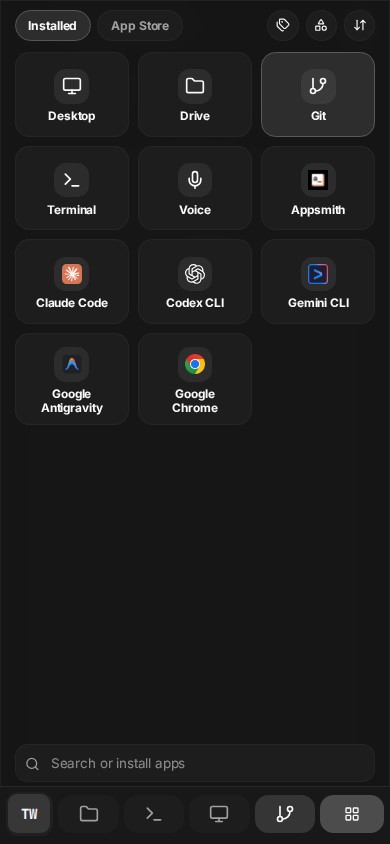
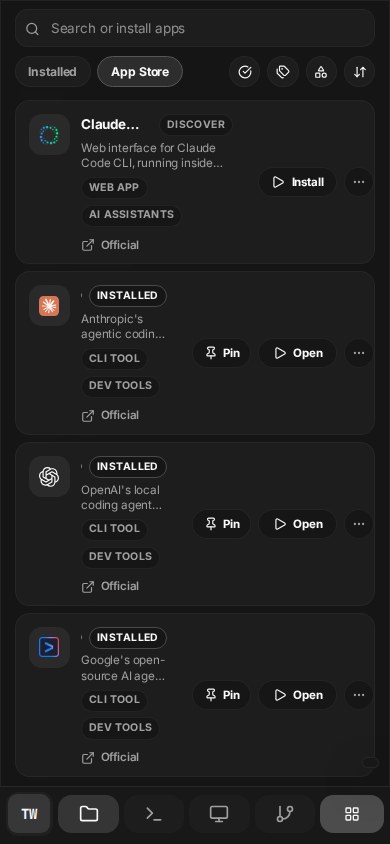
App Store
300+ apps are built into the computer.
The launcher already includes installed and App Store scopes, with search, category filters, type filters, and sort controls inside the same computer workspace.
- Installed and App Store scopes live in one launcher
- Search, category, type, and sort controls are already built into the catalog surface
- The catalog is treated like a native part of the computer instead of an external marketplace
Access
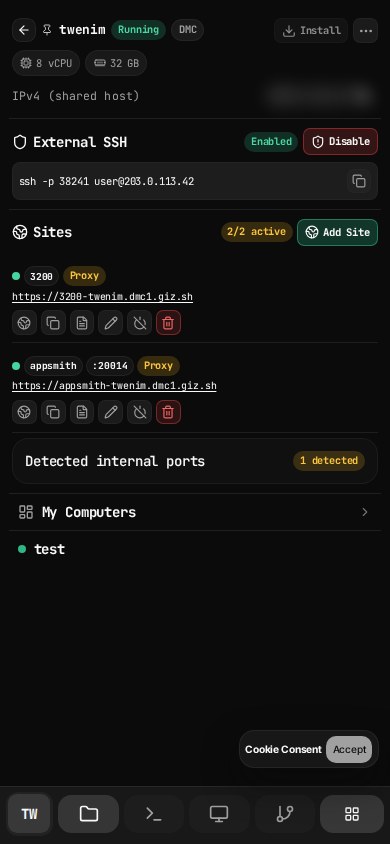
SSH, active sites, and machine switching stay together.
The main tab is not a decorative profile menu. It exposes direct SSH state, active published endpoints, per-site controls, and the running computer roster in one place.
- External SSH enablement and machine-level access state
- Published endpoint rows with direct operational controls
- Machine switching from the same operating surface
Publish
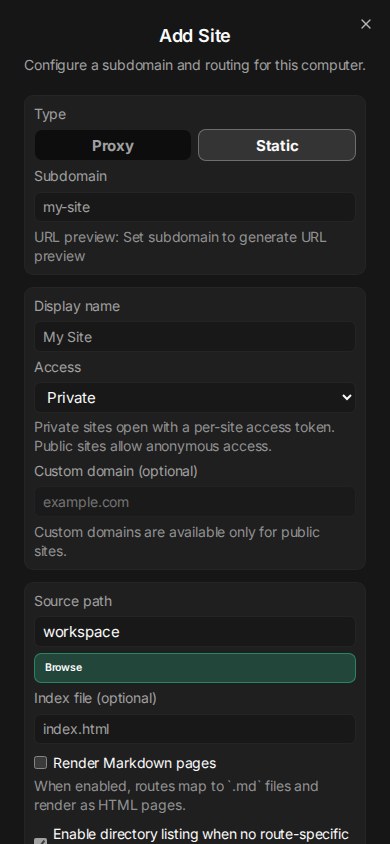
Publishing stays configurable end to end.
Proxy or static site mode, private or public visibility, URL previews, port binding, and custom domain setup are built into the product surface.
- Proxy or static routing modes
- Private token-gated or public access modes
- Custom domain entry and verification in the same surface
Drive
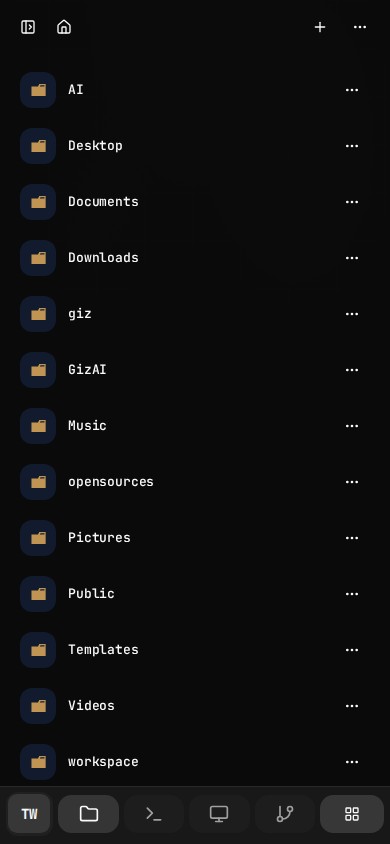
Drive stays tied to the same machine.
Folders, collection scopes, storage state, and the same container-backed file tree stay available beside Computer instead of living in a separate silo.
- Collection scopes for home, starred, recent, shared, and trash
- Drive remains tied to the active computer context
- Files stay available to desktop, terminal, git, and apps
Dashboard
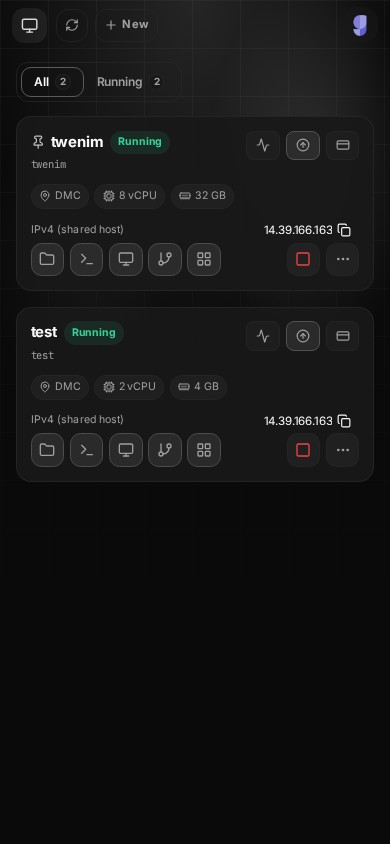
Manage the machine from one mobile dashboard.
Create, start, stop, upgrade, inspect network state, review billing context, and jump straight into the computer you need without leaving the same mobile surface.
- Create and reopen multiple computers from the same mobile dashboard
- Inspect live status, specs, billing, and runtime actions in one list
- Open the right computer immediately instead of re-navigating the product
Snapshots
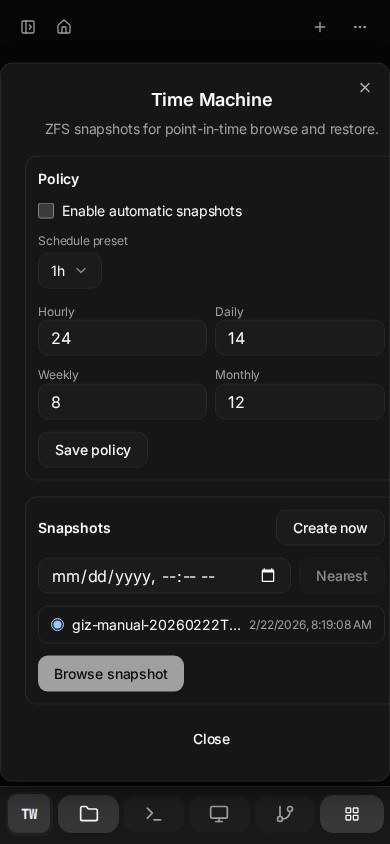
Time Machine makes Drive durable.
Snapshot policy, manual snapshots, nearest-point lookup, and restore planning are built into the product surface for the active computer.
- Automatic retention policy across time buckets
- Manual snapshots for the current machine state
- Restore planning before applying recovery
Automation
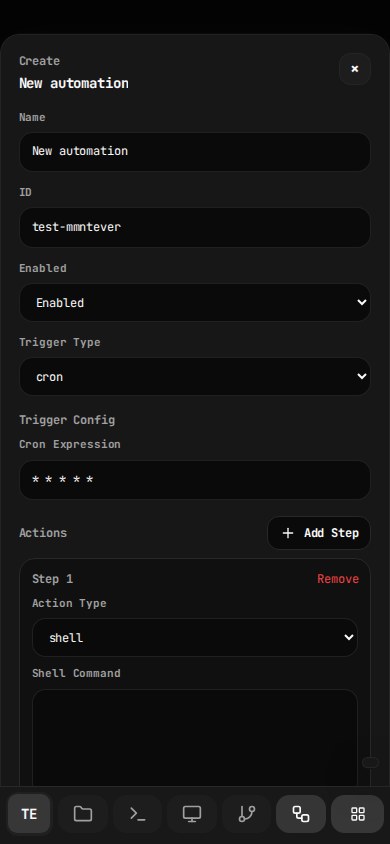
Automations stay in the same workspace.
The automation panel exposes trigger types, config editing, install state, crontab state, run history, and log inspection directly inside the computer.
- Trigger types: cron, interval, loadavg, file, script, maildir
- Run history, crontab state, and per-run log inspection
- Automation setup happens in the computer itself
Voice + Mobile
The same machine works across desktop and mobile.
Voice is a built-in workspace capability, and the remote desktop, tool dock, keyboard controls, and mobile continuity are designed into the same product.
- Voice capability is a built-in panel action
- Desktop controls expose keyboard, clipboard, audio, mic, camera, and fullscreen
- Phone and desktop reopen the same running machine
Drive Viewer
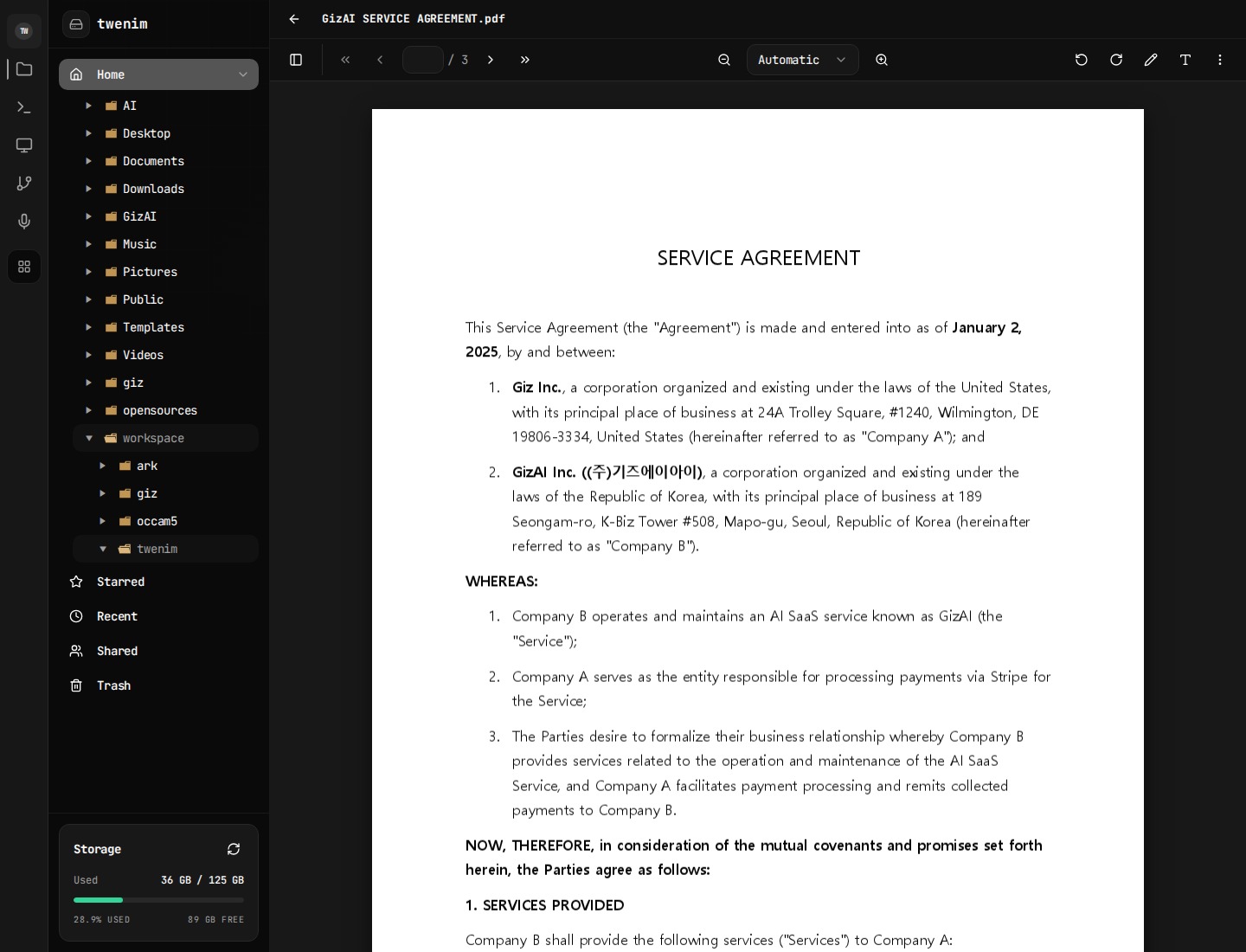
Drive opens rich viewers in place.
PDF, media, and other file types open in dedicated viewers with toolbar actions, zoom, preview, and file-native workflows.
- Registry-based viewer selection
- PDF and media flows stay inside Drive
- Preview, inspect, and continue without exporting
Drive Actions
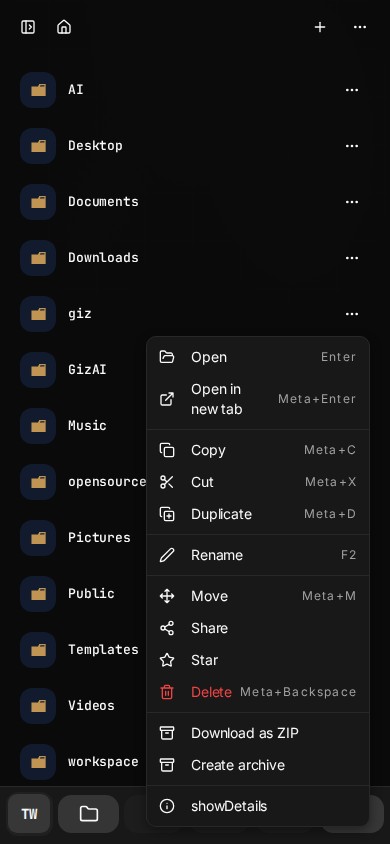
Stored work stays actionable.
Drive items can be opened, moved, duplicated, archived, zipped, shared, and inspected directly from the file layer.
- Share, move, rename, delete, and ZIP export
- Archive creation and extraction
- A bridge between stored content and execution
Installability
Computer is built to be installable.
The product includes container-aware install UX, PWA/TWA architecture, and wake-lock support so the workspace behaves more like an app than a disposable tab.
- Install entry in the main computer surface
- Container-specific manifest and install metadata
- Wake-lock support for long-running use
Capability Coverage
This is broader than a browser IDE and deeper than a hosted desktop.
Giz Computer™ is the execution layer of the platform: isolated machine, always-on storage, desktop and shell surfaces, built-in App Store, mobile continuity, private-by-default publishing, and network exposure in one product.
Real Computer Surface
A full cloud computer surface, not a single-purpose dev environment or browser IDE.
- Full remote desktop
- Persistent terminal sessions
- Panel-based workspace
Shared State And Memory
Files, apps, agent context, metadata, and snapshot history stay aligned inside one persistent computer.
- Persistent home directory
- Drive tied to container storage
- Recent, starred, shared, and trash
- Snapshot-backed history
Agent, Studio, And Voice
AI is optional, but operates inside the same computer.
- Agent panel against live context
- Voice input
- Studio and AI credit flow
Built-In App Store And Runtimes
The computer includes its own App Store with managed apps and service runtimes.
- 300+ apps
- Managed catalog and runtime controls
- Desktop apps
- Site and app publishing
Document And Asset Workflows
Documents and assets are edited, transformed, and reused in place.
- Note, markdown, HTML, PDF and media viewers
- Upload, archive, extraction and conversion
- Share and publish paths
Developer Workflow Built In
Code, review, and manage changes without leaving Computer.
- Git panel
- Terminal builds and deploy flows
- Mixed code and asset workflows
Network And Publishing
Expose real services, SSH, sites, and custom domains.
- Public IPv6
- Direct HTTP routing
- Domain verification and SSH
Lifecycle And Automation
Provisioning, runtime control, and safe exposure are part of the product.
- Create, start, stop, recreate, delete, upgrade
- Events, billing and runtime actions
- Managed automation
Installable Mobile Surface
Computer keeps working from mobile.
- PWA install path
- Android TWA architecture
- Wake lock support
Workflow View
One computer, every workflow connected.
The point is not a long list of isolated features. The point is that work can move from chat to shell, from Drive to AI agents, from desktop apps to stored files, and from the same machine to published output without leaving one environment.
Drive → AI Agents → Desktop
Files in Drive can be rewritten by Claude Code, Codex, and other agents, then opened from the same desktop and terminal.
Chat → Computer → Drive
Ask, execute, and persist in one loop instead of handing work off between disconnected tools.
Studio → Drive → Computer
Generate assets, save them, then refine them with scripts, desktop apps, or file workflows.
Computer → Site Exposure
Turn a running service into a reachable endpoint with routing and domain verification.
Desktop → Mobile Continuity
Pick up the same machine from mobile instead of falling back to a lite view.
Drive → Share, Publish, Or Restore
Move stored work outward through share and publish or backward through snapshot restore.
Why This Product Exists
Giz Computer™ gives AI a body, memory, and execution rights.
The vision for GizAI is not another chat frontend. Computer is the environment layer: an always-on machine where AI, files, apps, and user work can keep happening together over time.
| Capability | Giz Computer™ | Codespaces | Replit |
|---|---|---|---|
| Full GUI desktop | Yes | No | No |
| Persistent machine state | Yes | Partial | Partial |
| Mobile-ready control surface | Yes | Limited | Limited |
| Built-in filesystem browser | Yes | Partial | Partial |
| Direct site and app publishing | Yes | No | Limited |
| AI inside the same environment | Yes | No | No |
Pricing
Pick the computer size, keep the same product surface.
Pricing scales with machine resources, not a separate stripped-down experience.
Promotional pricing may end at any time.
FAQ
Everything you need to know.
AI Tools (Optional)
Your Computer
Billing & Pricing
Security & Privacy
Desktop & Access
Troubleshooting
Start Here
Open the machine first. Decide the workflow second.
That is the real value of Giz Computer™: one place where desktop apps, shell work, files, agent actions, and network publishing can all happen without context loss.