Autismo nos Primeiros Anos de Vida
O autismo é um tema complexo e desafiador, especialmente quando se trata dos primeiros anos de vida. Este livro tem como objetivo fornecer uma compreensão abrangente sobre o Transtorno do Espectro Autista (TEA) desde os sinais iniciais até as estratégias de intervenção e o apoio necessário para as famílias. Através de uma abordagem multidisciplinar, abordaremos os aspectos comportamentais, neurológicos, e as melhores práticas de diagnóstico e intervenção. Este volume é destinado a pais, educadores, terapeutas e a todos os profissionais que desejam aprofundar seu conhecimento sobre o autismo nos primeiros anos da infância.

Sumário
-
Introdução
-
Definição e Compreensão do Autismo
-
Identificação dos Primeiros Sinais
-
Diagnóstico Precoce e Importância da Intervenção
-
Abordagens Terapêuticas e Educacionais
-
Compreensão do Desenvolvimento Neurológico
-
Estratégias de Suporte para Pais e Familiares
-
Inclusão e Atualidades na Educação
-
Projetos de Intervenção e Políticas Públicas
-
Desafios e Perspectivas Futuras
-
Estudos de Caso e Experiências Reais
-
Conclusão
-
Perguntas Frequentes (FAQ)
1. Introdução
O propósito deste livro é aprofundar a discussão sobre o autismo, focalizando os primeiros anos de vida, que são fundamentais para o desenvolvimento saudável de uma criança. Durante este período, o cérebro está em constante formação e a identificação dos sinais do autismo pode abrir caminho para intervenções mais eficazes, possibilitando um melhor desenvolvimento das habilidades sociais, comunicativas e cognitivas.
Através dos capítulos seguintes, exploraremos diversas perspectivas, destacando desde teorias neurobiológicas até as práticas pedagógicas, passando pelo impacto emocional nas famílias e o apoio das políticas públicas voltadas para a inclusão. Nossa abordagem é pautada por uma análise detalhada e embasada em estudos recentes e em experiências práticas de profissionais da área.

2. Definição e Compreensão do Autismo
O Transtorno do Espectro Autista (TEA) é um conjunto de condições caracterizadas por desafios na comunicação, na interação social e na presença de comportamentos repetitivos. Este termo abrange uma diversidade de manifestações, o que torna o diagnóstico e a intervenção ainda mais complexos.
Historicamente, o autismo foi compreendido sob diferentes perspectivas, passando por inúmeras revisões diagnósticas ao longo dos anos. Atualmente, a abordagem multidisciplinar permite uma compreensão mais ampla dos fatores genéticos, neurológicos e ambientais que influenciam o desenvolvimento autista. A importância do diagnóstico precoce não pode ser enfatizada o suficiente, uma vez que intervenções iniciadas nos primeiros anos de vida podem favorecer a evolução e a aprendizagem da criança.
3. Identificação dos Primeiros Sinais
A identificação precoce do autismo é um dos pontos centrais para a promoção de intervenções bem-sucedidas. Sinais comportamentais podem surgir ainda nos primeiros meses de vida, embora o diagnóstico formal geralmente ocorra durante a infância. Indicadores como a ausência ou atraso na comunicação verbal, a dificuldade no contato visual e a preferência por atividades solitárias são alguns dos sinais observados.
É fundamental que profissionais de saúde e educadores estejam atentos aos comportamentos atípicos e utilizem ferramentas de avaliação padronizadas para auxiliar no reconhecimento do TEA. Os familiares também desempenham um papel crucial, pois muitas vezes são os primeiros a notar que algo não está conforme o esperado no desenvolvimento de seus filhos.
4. Diagnóstico Precoce e Importância da Intervenção
O diagnóstico precoce é um elemento vital para o sucesso das intervenções. Estudos mostram que crianças diagnosticadas entre os 18 e 24 meses de idade apresentam melhores prognósticos quando comparadas a aquelas cujo diagnóstico é realizado mais tarde. A intervenção precoce pode reduzir significativamente as dificuldades associadas ao autismo, melhorando a capacidade de comunicação, o comportamento social e o aprendizado.
Profissionais especializados utilizam uma variedade de métodos no diagnóstico do autismo, incluindo observações clínicas, entrevistas com os pais e avaliações padronizadas. É importante que o processo diagnóstico seja realizado de forma cuidadosa e multidisciplinar, integrando diferentes áreas do conhecimento para uma compreensão mais holística do comportamento da criança.
5. Abordagens Terapêuticas e Educacionais
As intervenções terapêuticas para crianças com TEA são diversificadas e precisam ser personalizadas de acordo com as necessidades individuais de cada criança. Entre as principais abordagens, destacam-se:
-
Terapia Comportamental: Focada na identificação e modificação dos comportamentos disfuncionais, estimulando comportamentos sociais e de comunicação.
-
Terapia Ocupacional: Auxilia na integração sensorial e na melhoria das habilidades motoras e de autonomia.
-
Fonoaudiologia: Essencial no desenvolvimento da comunicação verbal e não-verbal, contribuindo para a melhoria das interações sociais.
-
Intervenção Psicopedagógica: Adaptada para promover um ambiente de aprendizagem inclusivo e estimulante.
Cada uma dessas abordagens pode ser integrada em um plano de intervenção global. A colaboração entre profissionais de saúde, educadores e familiares é fundamental para criar um ambiente que favoreça o desenvolvimento integral da criança.
6. Compreensão do Desenvolvimento Neurológico
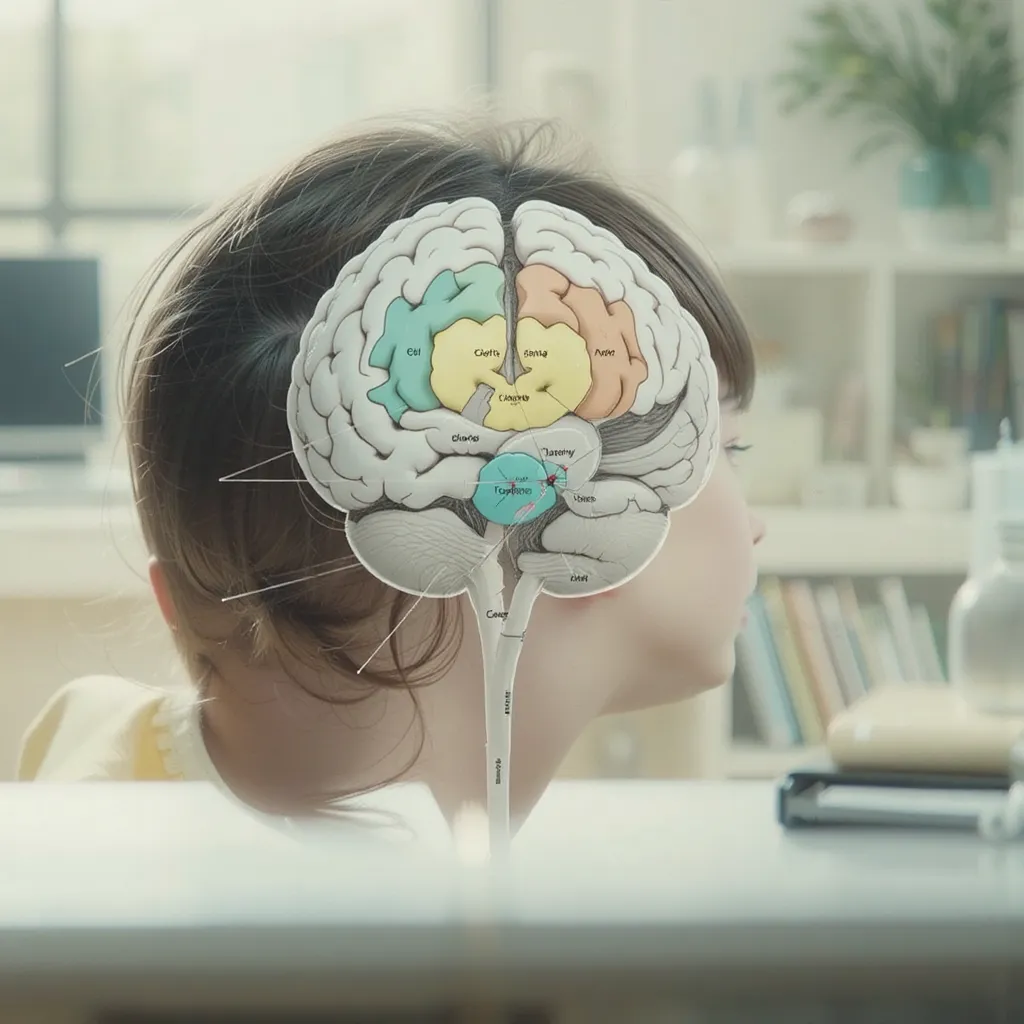
O desenvolvimento neurológico nos primeiros anos de vida é intensamente dinâmico e vulnerável. O cérebro infantil passa por fases críticas de crescimento e plasticidade, o que torna o período pré-escolar de extrema importância para a formação das conexões neurais responsáveis pelas habilidades cognitivas e sociais.
Estudos científicos indicam que, em crianças com TEA, há diferenças em áreas chave do cérebro responsáveis por processar informações sensoriais e sociais. A compreensão desses processos pode ajudar no desenvolvimento de intervenções mais precisas e eficazes. Além disso, a pesquisa em neurociência tem avançado no entendimento de como as intervenções precoces podem influenciar positivamente essa plasticidade, potencializando a aprendizagem e a integração social.
7. Estratégias de Suporte para Pais e Familiares
Os pais e familiares têm um papel central no desenvolvimento e na intervenção de crianças com autismo. O suporte emocional e prático é fundamental para enfrentar os desafios diários e para promover um ambiente de amor e compreensão. Diversas estratégias podem ser adotadas, tais como:
-
Grupos de Apoio: Permitem a troca de experiências e a oferta mútua de suporte entre pais que enfrentam desafios similares.
-
Consultoria Especializada: Psicólogos e terapeutas podem oferecer orientações práticas para lidar com comportamentos desafiadores.
-
Capacitação e Informação: A educação continuada sobre o autismo capacita os familiares a se engajarem ativamente nas intervenções e a buscarem os recursos disponíveis.
O papel dos familiares vai além do acompanhamento terapêutico, sendo também um pilar na construção da autoestima e da independência da criança. O engajamento familiar fortalece a rede de suporte e cria um ambiente mais resiliente para a criança enfrentar os desafios do TEA.
8. Inclusão e Atualidades na Educação
A inclusão de crianças com autismo no sistema educacional é um dos grandes desafios e, ao mesmo tempo, uma das maiores conquistas da sociedade atual. A educação inclusiva busca adaptar o ambiente escolar para receber alunos com diferentes necessidades, promovendo a diversidade e a igualdade de oportunidades.
A escola deve estar preparada para oferecer suporte pedagógico específico, com profissionais capacitados e recursos adequados. Estruturas adaptadas, como salas de aula com estímulos diferenciados, fazem uma diferença significativa na aprendizagem e na integração social das crianças autistas. Além disso, a tecnologia tem se mostrado uma ferramenta poderosa para facilitar tanto o ensino quanto a comunicação entre a criança e seus colegas.
9. Projetos de Intervenção e Políticas Públicas
Diversos projetos de intervenção têm sido implementados com o objetivo de melhorar a qualidade de vida das crianças com autismo e de suas famílias. Tais projetos envolvem parcerias entre governos, instituições privadas e organizações não governamentais, visando a criação de ambientes de apoio e a promoção de campanhas de conscientização.
Políticas públicas bem estruturadas podem facilitar o acesso a diagnósticos precoces, tratamentos especializados e programas de inclusão educacional. A mobilização da comunidade e o engajamento dos profissionais de saúde e educação são essenciais para a construção de um sistema de apoio que alcance todas as camadas da sociedade.
Algumas iniciativas bem-sucedidas incluem programas de capacitação para professores, centros especializados de atendimento e linhas de apoio para as famílias. Essas ações são fruto de um trabalho conjunto que busca integrar o saber acadêmico à prática do cuidado.
10. Desafios e Perspectivas Futuras
Apesar dos avanços na compreensão e abordagem do autismo, ainda existem muitos desafios a serem superados. A variabilidade do espectro, a complexidade dos diagnósticos e as disparidades no acesso aos recursos são questões que demandam atenção contínua.
As perspectivas futuras, no entanto, apontam para a integração de novas tecnologias, como a inteligência artificial e a realidade virtual, na prática terapêutica e educacional. Tais avanços podem melhorar a personalização dos programas de intervenção, tornando o processo de aprendizagem mais interativo e adaptativo.
Além disso, a intensificação das pesquisas científicas promete desvendar novos aspectos do autismo, contribuindo para o desenvolvimento de tratamentos inovadores e mais eficazes. O desafio consiste em traduzir todo esse conhecimento em práticas que beneficiem diretamente as crianças e suas famílias, promovendo um futuro mais inclusivo e promissor.
11. Estudos de Caso e Experiências Reais
Para ilustrar a aplicação das teorias e práticas discutidas, este livro traz uma série de estudos de caso e relatos de experiências reais de famílias e profissionais. Esses relatos demonstram, de forma concreta, como a intervenção precoce e o apoio multidisciplinar podem transformar vidas.
Cada estudo de caso é apresentado com um olhar humanizado, ressaltando os desafios enfrentados, as estratégias adotadas e os resultados obtidos. Ao compartilhar essas experiências, o livro oferece não apenas informações técnicas, mas também inspiração e encorajamento para aqueles que estão na jornada de lidar com o autismo.
Estes relatos destacam o valor da empatia, da persistência e da inovação na construção de um ambiente mais inclusivo e acolhedor para as crianças autistas. A troca de experiências é uma das ferramentas mais poderosas para disseminar boas práticas e promover um diálogo construtivo entre as famílias e os profissionais.
12. Conclusão
O autismo, especialmente nos primeiros anos de vida, representa um desafio repleto de complexidades, mas também de inúmeras oportunidades de intervenção e crescimento. A identificação precoce e o apoio adequado podem ter um impacto transformador no desenvolvimento das crianças, proporcionando uma base sólida para a aquisição de habilidades sociais, comunicativas e cognitivas.
Este livro procurou abordar o TEA de maneira holística, combinando informações teóricas, dados científicos e experiências práticas. Acreditamos que, a partir desta abordagem integrada, é possível promover mudanças significativas na vida das crianças, suas famílias e na sociedade como um todo. O caminho para uma inclusão efetiva passa pelo esforço coletivo e pela contínua atualização dos conhecimentos, incentivando a inovação e o compromisso com o bem-estar dos indivíduos.
13. Perguntas Frequentes (FAQ)
1. Quais são os sinais mais comuns de autismo nos primeiros anos de vida?
Os sinais comuns incluem atrasos na fala, dificuldade de manter contato visual, comportamentos repetitivos e uma preferência por atividades solitárias. No entanto, cada criança pode apresentar uma constelação diferente de sinais.
2. Qual é a importância do diagnóstico precoce no autismo?
O diagnóstico precoce é crucial para iniciar intervenções que potencializam o desenvolvimento das habilidades cognitivas, sociais e comunicativas da criança, melhorando significativamente o prognóstico a longo prazo.
3. Que tipos de terapias são recomendadas para crianças com autismo?
As terapias recomendadas geralmente incluem a terapia comportamental, terapia ocupacional, fonoaudiologia e intervenções pedagógicas. A combinação dessas abordagens, adaptada às necessidades da criança, é considerada a mais eficaz.
4. Como os pais podem ajudar seus filhos após o diagnóstico de autismo?
Os pais podem buscar grupos de apoio, participar de programas de capacitação, manter um diálogo constante com os profissionais de saúde e educação, e, principalmente, oferecer um ambiente de amor e compreensão.
5. Quais são os desafios na implementação de uma educação inclusiva para crianças com autismo?
Entre os desafios estão a necessidade de formação especializada dos educadores, adaptações na infraestrutura escolar e a disponibilidade de recursos pedagógicos específicos. A colaboração entre a escola, a família e a comunidade é essencial para superar esses desafios.
6. O que as pesquisas mais recentes indicam sobre o autismo?
As pesquisas atuais apontam para a importância da neuroplasticidade, do diagnóstico precoce e do uso de tecnologias avançadas para a personalização das intervenções. Novas abordagens terapêuticas estão sendo estudadas com o objetivo de melhorar a eficácia dos tratamentos.
Considerações Finais
Este livro é um convite para explorar, compreender e enfrentar os desafios associados ao autismo nos primeiros anos de vida. Desde a identificação dos primeiros sinais até a construção de uma rede de apoio eficiente, cada etapa do processo é vital para a promoção de um desenvolvimento harmonioso e para a construção de uma sociedade mais inclusiva.
O conhecimento compartilhado aqui é fruto da dedicação de inúmeros profissionais e famílias que, juntos, trilham um caminho repleto de desafios, mas também de muitas vitórias. Que este livro seja uma fonte de informação, inspiração e apoio para todos aqueles que atuam nesse campo ou que acompanham de perto a jornada do autismo.
Este livro de mais de 100 páginas, desenvolvido com embasamento teórico e relatos práticos, visa ser um guia completo para a compreensão e a intervenção nos primeiros anos de vida de crianças com autismo. Esperamos que cada parte deste trabalho contribua para a melhoria da qualidade de vida dos pequenos e para a construção de um futuro mais inclusivo e acolhedor para todos.
FAQ – Perguntas Frequentes
-
Qual é a principal importância do diagnóstico precoce no TEA?
R: O diagnóstico precoce permite intervenções que potencializam a capacidade da criança em desenvolver habilidades essenciais, reduzindo dificuldades em áreas como a comunicação e interação social.
-
Quais terapias são frequentemente utilizadas na intervenção precoce do autismo?
R: Entre as terapias utilizadas, destacam-se a terapia comportamental, a terapia ocupacional, a fonoaudiologia e a intervenção psicopedagógica, que são adaptadas às necessidades individuais.
-
Como os pais podem se engajar no processo de apoio pós-diagnóstico?
R: Os pais podem participar de grupos de apoio, buscar capacitação profissional, manter uma comunicação constante com os especialistas e criar um ambiente cheio de amor e compreensão para a criança.
-
De que forma o ambiente escolar pode ser adaptado para incluir crianças com autismo?
R: A inclusão pode ser facilitada com a capacitação dos professores, a adaptação dos recursos pedagógicos, a criação de salas de apoio e a utilização de tecnologias que promovam a comunicação e aprendizagem.
-
Quais são as perspectivas futuras para o tratamento do autismo?
R: As perspectivas futuras incluem o uso de tecnologias emergentes, como inteligência artificial e realidade virtual, para personalizar intervenções, além do contínuo avanço na pesquisa neurocientífica que promete novas alternativas terapêuticas.
Este trabalho foi elaborado com o intuito de promover um aprofundamento teórico e prático sobre o autismo nos primeiros anos de vida, buscando proporcionar aos leitores uma visão ampla e integrada do tema. Que o conhecimento aqui compilado inspire a todos a buscar a inclusão e a eficiência nas intervenções e a entender que cada criança tem um potencial único, digno de acolhimento e desenvolvimento.
Esperamos que este livro seja uma valiosa ferramenta na caminhada em direção a um futuro mais justo e inclusivo para as crianças com autismo e suas famílias.