Change the outfit, keep the person
Generative outfit change · Identity-aware editUpload a person photo, choose an outfit direction, and use an optional garment reference. giz.ai presents the result honestly as a generative visual concept.
Explore image modelsA few useful outfit directions
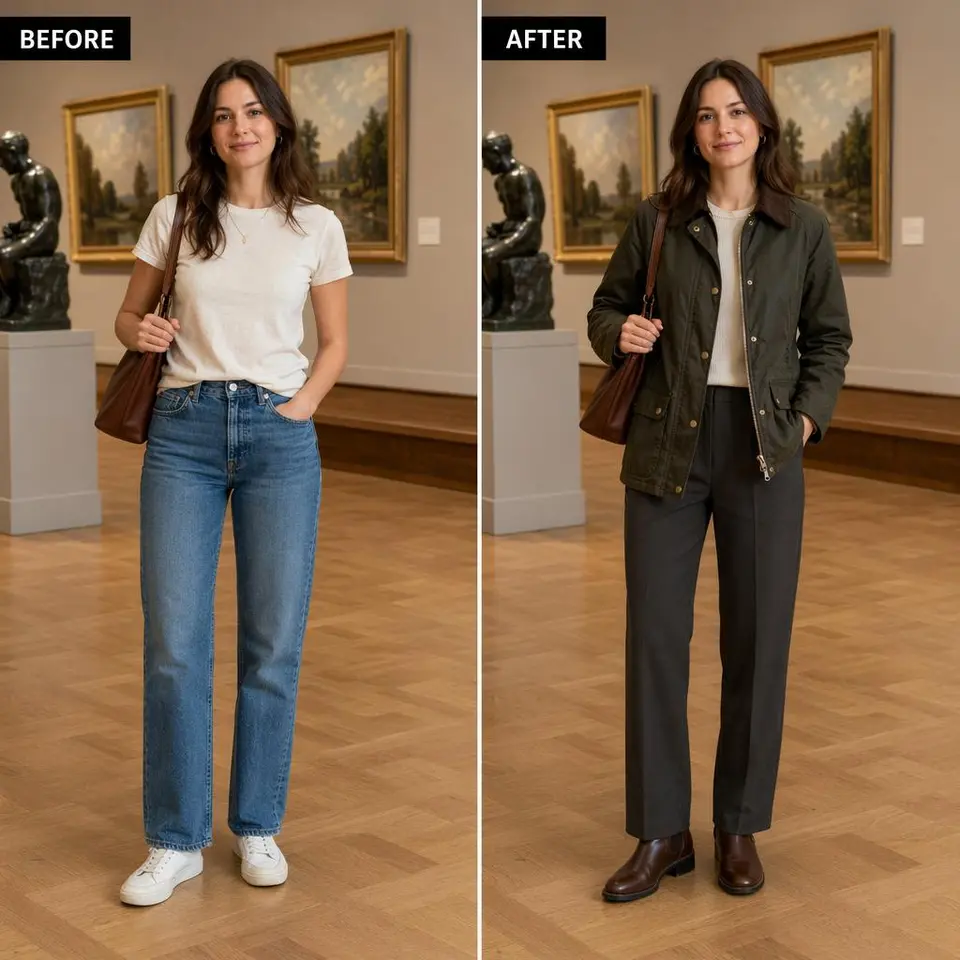
- Purpose
- Prepare a professional profile
- Direction
- Tailored structure and restrained color
- Next variation
- Compare formal with smart casual
Review notes
Tailored professional wardrobe, realistic fabric, preserve identity, pose, proportions, and background.
Try a look, then keep the ones you want
Use included access for an initial generative look, then continue with credits or a plan.
The workflow explicitly preserves face, hair, skin tone, body proportions, pose, hands, camera, and background.
The paid editing model accepts person and garment images for a more specific visual direction.
The UI never presents a generated look as garment sizing or exact physical fit.
Animate an approved look with the existing image-to-video flow.
This is not a fitting-room measurement
The result does not measure the body or predict garment size, comfort, drape, or physical fit.
Seams, closures, patterns, logos, material, length, and accessories may differ from a garment reference.
Compare face, hair, skin tone, body proportions, pose, and hands with the original person photo.
Only process person and garment images you are allowed to use.
How this page was reviewed
Written by giz.ai Product Team · Reviewed by giz.ai Model Operations · Updated 2026-07-16
giz.ai publishes this AI clothes changer page about its own product. Model names, inputs, controls, access, and plan requirements come from the live giz.ai catalog; examples and editorial guidance explain practical use without promising flawless output.
- Match the AI clothes changer default, offered models, and example inputs to active giz.ai model contracts.
- Run the public form through model selection, example application, and the canonical Assistant handoff.
- Verify one- and two-reference input, identity-preservation prompt, generative-fit disclosure, and image-to-video action.
- Verify one canonical URL, visible FAQs, structured data, internal links, desktop layout, and mobile layout.
AI clothes changer FAQ
Is this an accurate virtual fitting room?
No. It is a generative outfit-editing workflow and does not predict size, comfort, drape, or exact physical fit.
Can I upload a garment photo?
Yes. Choose Try This Item and upload the authorized person photo first and garment reference second. Construction and pattern details can still drift.
Will the person stay the same?
The prompt explicitly preserves identity and pose, but generative edits can still change facial or body details. Review every result.
Can I try it free?
Current included FLUX.2 Klein access is shown before generation. Additional paid looks can use non-expiring credits or a plan.